 tellnova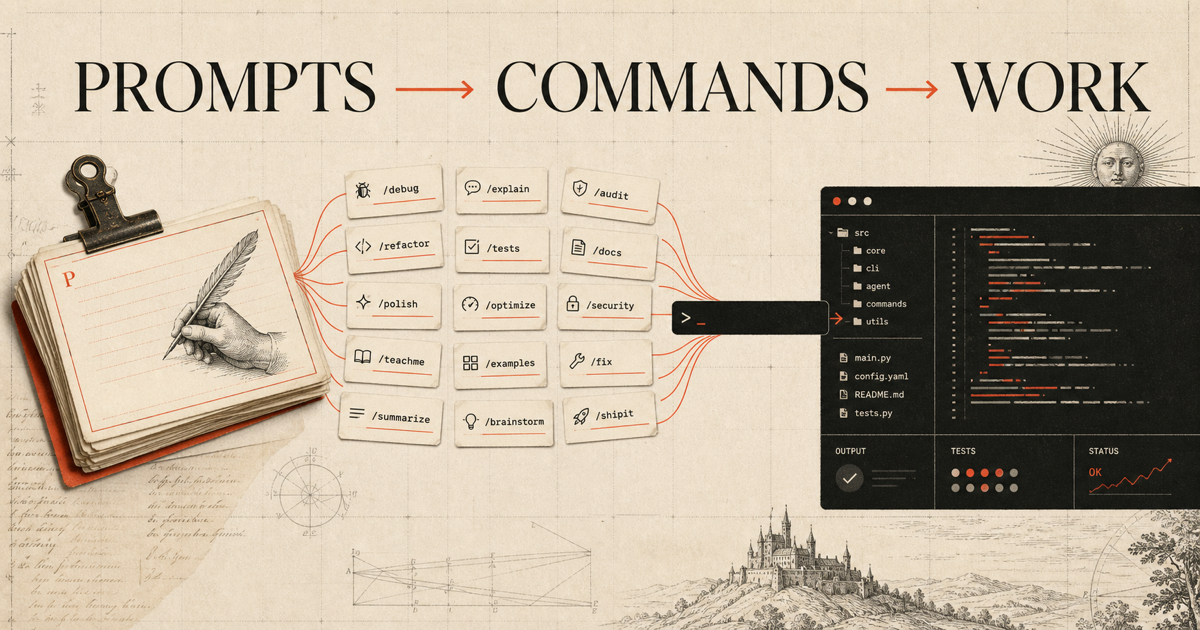
These are useful conventions, not secret Claude features
A community collection called Claude Secret Codes groups 100 short instructions under memorable names such as /debug, OODA, /teachme, and /shipit. The names are genuinely useful. The word secret is marketing, though: most of these are prompt conventions, not undocumented switches hidden inside Claude.
That distinction matters because it reveals the more interesting idea. A short command becomes powerful when you define its behavior once, keep it under version control, and let everyone invoke the same instruction. Claude Code supports that model through Markdown skills and custom commands. Pi supports Markdown prompt templates. Because tellnova runs its agents on Pi, the same idea fits directly into tellnova.
You can therefore turn this list into a reusable command pack, install it from Git or npm, and see the commands in tellnova's task composer. You are not locked into somebody else's wording: every template can encode your team's own standards, tools, checks, and output format.
How commands work in Claude Code
In current Claude Code documentation, reusable skills live in a directory containing SKILL.md. A skill named debug can be invoked as /debug. Claude Code also continues to recognize the older .claude/commands/debug.md convention, although skills are the recommended format. Built-in commands are a separate set documented in the interactive mode reference.
A custom command is therefore not a new model capability. It is a stable entry point into a larger instruction. /debug payment timeout can expand into a procedure that reproduces the failure, traces the relevant path, identifies the root cause, adds a regression test, and reports what changed. The value comes from repeatability.
Why the same pattern works in tellnova
Pi calls these reusable instructions prompt templates. A Markdown file named debug.md becomes /debug. Pi loads templates from a user's prompt directory and from installable packages. Tellnova discovers that command catalog and surfaces it in the composer, so people do not need to remember filenames or paste long prompts.
This is a natural extension of tellnova's existing agent workflow:
- Templates standardize how a task starts.
- The selected model still reasons about the current repository and request.
- Tellnova supplies the working directory, tools, task history, and background execution.
- Git keeps the command pack reviewable and shareable.
- Updating an installed package updates the reusable instructions without editing every task.
If you already use your ChatGPT account for coding agents, see how to connect a ChatGPT subscription to tellnova. If a command needs web research, Agent Reach can give local tellnova agents internet access.
Package one command first
Start with a tiny package rather than copying 100 vague one-liners. A package can use this structure:
claude-command-pack/
├── package.json
└── prompts/
    ├── debug.md
    ├── audit.md
    └── shipit.md
The package manifest tells Pi where the templates live:
{
  "name": "claude-command-pack",
  "version": "1.0.0",
  "keywords": ["pi-package"],
  "pi": {
    "prompts": ["prompts"]
  }
}
Then prompts/debug.md defines real behavior instead of relying on the command name alone:
---
description: Reproduce a failure, find its root cause, and verify the fix
---

Debug the problem described by the user. Reproduce it before editing when possible.
Trace the relevant call path, state the root cause, make the smallest safe fix,
add or update a regression test, and run the most relevant verification.
Do not hide errors or weaken tests. Report the files changed and any remaining risk.
That prompt is intentionally specific. A useful command defines the process and the evidence expected at the end. It should not pretend that typing /godmode removes model limits or safety boundaries.
Install the pack in tellnova
Once the package is in a Git repository, installation is short:
- Open Settings in the tellnova desktop app.
- Open Extensions.
- Paste a direct source such as
git:github.com/your-org/claude-command-packinto the extension field. - Select Install.
- Start a new task, type
/, and choose the installed command from the composer.
Tellnova also accepts npm package sources and local paths. A local path is useful while authoring; Git or npm is better when a team needs one reviewed version. Pi packages can execute code and receive broad machine access, so inspect third-party packages before installing them. The official Pi package documentation covers package sources, updates, and project-local installation.
You can download tellnova and keep the pack beside the repository that defines your team's engineering process.
The complete 100-command idea list
The following catalog preserves every name from the community gist while paraphrasing each intended use. Names without a slash work as memorable prompt headers in the original list; when packaging for Pi, normalize each filename to a lowercase command such as artifacts.md or dashboard.md.
Writing and style
/ghost— make prose sound natural and less formulaic./mirror— imitate the tone and structure of a supplied sample./raw— return plain text without decorative formatting./voice— hold a chosen voice consistently across the response./punch— tighten the writing and make the point more forceful./flow— improve transitions and sentence rhythm./trim— remove repetition, filler, and unnecessary qualifiers./hook— produce a stronger opening line or section./rephrase— express the same meaning in a different way./polish— perform a final clarity, grammar, and style pass.
Artifacts and creation
ARTIFACTS— generate a finished, usable artifact rather than advice alone./buildme— turn a description into a concrete implementation.DASHBOARD— design a dashboard around specified data and decisions.PROTOTYPE— create a testable first version of an idea.CANVAS— arrange the problem and its components on a working canvas./render— produce a presentable visual or rendered output.BLUEPRINT— document architecture, components, and dependencies.WIREFRAME— sketch the information hierarchy and interface layout./livecode— work through an implementation in executable steps.GENERATOR— build a reusable generator for a repeated output.
Thinking
OODA— analyze with observe, orient, decide, and act./deepthink— spend more effort tracing implications before answering.L99— explain at an unusually deep level of detail.CHAINLOGIC— expose a concise, verifiable reasoning chain or decision record./blindspots— identify assumptions, omissions, and unknown risks.OVERTHINK— deliberately explore edge cases and second-order effects./unpack— decompose a dense claim or problem into parts.INVERT— reason backward from failure or from the desired outcome./layered— answer in progressive layers from summary to depth.XRAY— inspect the underlying structure rather than the surface symptom.
Learning
/teachme— teach a topic interactively at the learner's level.GAPFINDER— find missing knowledge through targeted questions./eli5— explain with simple language and familiar examples.MASTERCLASS— provide a structured advanced lesson./drill— create focused practice questions with feedback.SPEEDRUN— cover the essential path as quickly as possible./mentor— coach through choices instead of only giving an answer.LEVELUP— propose the next skills and exercises to improve.CRASHCOURSE— deliver a compact introduction with practical examples.BOOTCAMP— create a more intensive learning plan with milestones.
Analysis and decisions
/redteam— challenge a plan from an adversarial perspective.PARETO— find the small set of actions producing most of the outcome./swot— map strengths, weaknesses, opportunities, and threats.WARGAME— simulate competing actors and possible responses./premortem— assume failure and identify the causes in advance.LEVERAGE— locate changes with disproportionate upside./audit— inspect a system against explicit criteria and evidence.BOTTLENECK— identify the constraint limiting throughput or quality./scenario— compare plausible futures and their consequences.BLINDSPOT— surface a single overlooked factor or perspective.
Creative and marketing
/viral— adapt an idea for shareability without losing the core claim.HOOKS10— generate ten distinct opening hooks./storysell— present an offer through a clear narrative.REMIX— recombine an existing concept into fresh variations./angles— find multiple positioning angles for the same topic.CLIFFHANGER— end a section with unresolved forward momentum./captionme— write concise captions suited to the supplied context.POLARIZE— articulate a defensible, opinionated position./banger— produce a high-energy final version.THUMBNAIL— propose visual concepts and short thumbnail copy.
Coding
/debug— reproduce a failure, isolate its cause, and verify the fix.REFACTOR— improve structure while preserving behavior./shipit— complete implementation, tests, and release-ready checks.ARCHITECT— design boundaries, data flow, and tradeoffs before building./convert— migrate code or data between specified formats.AUTOMATE— replace a repeated manual process with a reliable workflow./testit— design and run tests for the important behavior.SCAFFOLD— create the minimal project or feature structure./optimize— measure first, then improve the actual bottleneck.APIBUILD— design and implement an API with validation and tests.
Research
/deepdive— investigate a topic beyond a surface summary.FACTCHECK— verify claims against credible sources and flag uncertainty./sources— collect and organize the strongest supporting references.COMPARE— evaluate options with consistent criteria./investigate— follow evidence to answer a specific question.TRENDSCAN— identify meaningful changes across a market or topic./extract— pull structured facts from supplied material.TIMELINE— arrange relevant events in chronological order./digest— condense a large source set into a useful brief.DOSSIER— assemble a structured profile with sources and open questions.
Prompt and agent control
/godmode— request a comprehensive answer; it does not override real limits./autoprompt— rewrite a rough request into a stronger working prompt.MEGAPROMPT— combine context, constraints, workflow, and output schema./chain— sequence multiple defined operations./system— draft system-level instructions for an agent.PERSONA— define a role, audience, voice, and domain perspective./memory— summarize durable context worth carrying forward.CONTEXT— organize the facts and files needed for the next task./rolelock— keep the response within a clearly defined role.PROMPTFIX— diagnose and repair a prompt that produces weak results.
Specialized modes
/nofilter— ask for candid, direct feedback within normal safety limits.BEASTMODE— request an intensive, execution-focused response./therapist— use reflective questions and supportive framing, not medical care.CEOMODE— reason from company priorities, capital, people, and risk./negotiate— prepare positions, interests, concessions, and alternatives.FOUNDER— frame decisions around product-market fit and scarce resources./closer— focus on objections, next steps, and reaching a decision.OPERATOR— turn strategy into owners, processes, metrics, and cadence./unlocked— explore a problem broadly; it does not bypass safeguards.SENTINEL— monitor defined signals and escalate when thresholds are crossed.
Make commands operational, not theatrical
The best commands are not the names that sound most powerful. They are the ones that remove ambiguity from repeated work. /audit should name the standard, evidence, and output format. /shipit should define tests and release gates. /sources should say which sources qualify and how citations must be returned.
A good team pack should also stay small at first. Choose five commands you actually repeat, run them against real tasks, revise their Markdown in code review, and only then expand the catalog. Commands can compose with tellnova's local files, Git worktrees, cloud runs, scheduled automations, and model selection; the template remains a lightweight feature rather than a separate automation product.
The tellnova source repository shows how Pi command discovery is integrated into the desktop composer. The result is simple: write the operating procedure once, install it once, and invoke it wherever the work begins.