 tellnova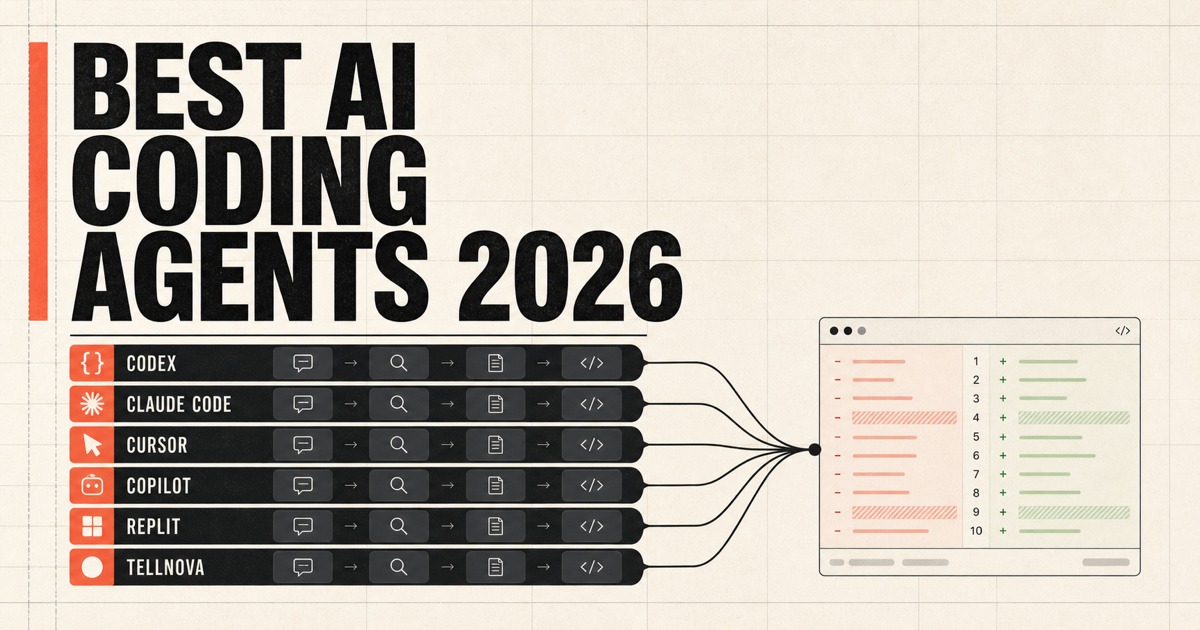
The best AI coding agents in 2026 are no longer separated by whether they can edit a file. Codex, Claude Code, Cursor, GitHub Copilot, Replit Agent, and tellnova can all move beyond autocomplete. The useful question is where the agent works, what it can touch, which model and subscription it uses, and how you review what comes back.
That is why a single benchmark score is a poor buying guide. One developer needs a fast partner inside an editor. Another wants a GitHub issue to become a pull request while they are offline. A third wants several local agents using different providers without surrendering the working copy. Those are different jobs.
This comparison uses current product documentation and focuses on workflow fit. There is no universal winner, and Tellnova is included with the same caveat as every other product: choose it only when its operating model matches your work.
The short answer
- Choose OpenAI Codex if you already use ChatGPT and want a polished multi-agent desktop, CLI, IDE, and cloud workflow.
- Choose Claude Code if you prefer a terminal-first agent with strong composability through skills, hooks, subagents, and Unix-style automation.
- Choose Cursor if the editor is the center of your day and you want interactive editing plus increasingly capable cloud agents.
- Choose GitHub Copilot if issues, pull requests, organizational policy, and the GitHub platform are the center of your engineering workflow.
- Choose Replit Agent if your goal is to describe, build, run, and deploy an application in one hosted environment, especially without managing a local toolchain.
- Choose tellnova if you want a desktop harness for multiple model providers, local repositories, isolated Git worktrees, parallel tasks, and a browser-accessible self-hosted mode.
The rest of the guide explains those choices and the tradeoffs hidden behind each headline.
What to compare before choosing an AI coding agent
A useful evaluation starts with six questions.
1. Is the work interactive or asynchronous?
Interactive agents are best when you are steering every few minutes. Asynchronous agents are best when a task can run, test, and return a diff later. Many products now support both, but one mode is usually more natural than the other.
2. Where does execution happen?
Local execution sees your real toolchain and uncommitted context, but it consumes your machine and needs careful permission boundaries. Cloud execution continues when your laptop closes, but you must configure repositories, secrets, dependencies, networking, and spending controls.
3. How is work isolated?
An agent editing your current checkout can interrupt your own work. Separate cloud environments, containers, branches, and Git worktrees reduce collisions. Isolation is not merely a security feature; it determines whether two tasks can run at the same time.
4. Who chooses the model?
Some products tightly integrate one model family. Others offer a model picker or let you bring an API-compatible provider. A strong model with a weak harness can still fail, while a well-designed harness can make several models productive.
5. What is the review object?
Look for more than a chat transcript. The useful output is a diff, test evidence, screenshots or artifacts when appropriate, and a clean route to a commit or pull request.
6. What are you actually paying for?
Pricing may bundle model usage, charge per request, consume platform credits, or rely on subscriptions and API keys you already own. Compare the entire workflow cost, not only the advertised seat price.
OpenAI Codex: best for a unified ChatGPT agent workflow
OpenAI describes the Codex app as a command center for multiple agents. It supports parallel threads, built-in Git worktrees, diff review, skills, and scheduled automations. Codex also spans the terminal, IDE, cloud, web, and mobile surfaces through a ChatGPT account.
That breadth is its clearest advantage. You can pair locally, delegate a longer task, review it elsewhere, and reuse skills without assembling separate products. Codex is a particularly easy recommendation for an individual or team already paying for a supported ChatGPT plan.
The tradeoff is intentional coupling. The Codex experience is optimized around OpenAI models, ChatGPT entitlements, and OpenAI's security and cloud controls. That is excellent when you want one integrated system; it is less suitable when your main requirement is switching among unrelated provider subscriptions from the same provider-neutral harness.
Best fit: ChatGPT users who want local and cloud agents under one polished product.
Claude Code: best for terminal-first composition
Claude Code is Anthropic's agentic coding tool for the terminal, IDE, desktop, and browser. Its strongest differentiator is not merely Claude model quality. It is the way the product composes with repositories and developer tooling through CLAUDE.md, skills, hooks, subagents, MCP servers, and command-line automation.
That makes Claude Code attractive to developers who treat the terminal as an integration surface. A team can encode review rules in files, invoke the agent from scripts, create specialized subagents, and connect internal systems without waiting for a graphical workflow.
The tradeoff is that flexibility expects more comfort with configuration and Anthropic's operating model. If someone primarily wants a visual task queue spanning multiple model vendors, Claude Code is not designed around that requirement.
Best fit: terminal-oriented developers and teams standardizing on Anthropic with highly configurable workflows.
Cursor: best for editor-first development
Cursor began with the editor and still feels most natural there. Its agent can inspect a codebase, edit files, run commands, search documentation, use images, and loop on errors. Cursor has expanded well beyond synchronous editor chat: its cloud agents can work from web, mobile, desktop, Slack, and GitHub, use their own computers, and return artifacts alongside merge-ready pull requests.
The advantage is continuity. Developers who live in Cursor can move from autocomplete to agentic edits without changing their primary environment. The product also invests heavily in model routing, retrieval, and an interface designed specifically around coding.
The tradeoff is that the editor remains the product center. Teams that want a provider-neutral, self-hosted task harness independent of a specific editor may prefer a different layer.
Best fit: developers who want the strongest agent experience directly inside an AI-native editor.
GitHub Copilot: best for GitHub-native teams
The GitHub Copilot coding agent can be assigned work, run asynchronously, and return pull requests. GitHub positions it alongside third-party agents including Claude and Codex, with centralized task management, repository context, security scanning, policy, and organizational billing controls.
Its advantage is obvious but important: most software teams already coordinate through GitHub issues, branches, pull requests, Actions, security checks, and reviews. An agent inside that system has less workflow distance to travel.
The tradeoff is the same integration in reverse. Copilot is most compelling when GitHub is the source of truth. A local-first developer working across non-GitHub repositories or experimenting with several personal subscriptions may not need the surrounding enterprise platform.
Best fit: organizations that want coding agents governed through existing GitHub workflows and controls.
Replit Agent: best for going from idea to hosted application
Replit Agent is aimed at a different starting point. You describe an application or website through chat, then build and refine it in a hosted environment with integrated databases, authentication, third-party services, and deployment.
Its advantage is vertical integration. There is less environment setup between the idea and a running URL, and the product is accessible to people who do not want to manage a local repository or development stack.
That strength also defines the boundary. Replit is not primarily a local orchestration layer for several agents operating against a complex existing checkout. It is best when the hosted Replit environment is where the application should live.
Best fit: founders, learners, and teams that want an integrated cloud path from prompt to deployed app.
tellnova: best for multi-provider local orchestration
Tellnova is a desktop application built on the Pi coding agent. It organizes agent tasks into threads, runs isolated attempts in Git worktrees, supports local and optional cloud execution, and can expose the same task interface through a self-hosted browser mode. It is available for Windows 10/11, Apple silicon and Intel Macs, and Linux.
The main reason to choose Tellnova is provider choice. A task can use Codex through a supported ChatGPT connection, Cursor, OpenRouter, or OpenAI-compatible APIs rather than requiring one model vendor across every thread. The app focuses on the orchestration layer: select a repository, choose a model, start multiple tasks, inspect the run, review the diff, and decide what to commit or push.
There are important tradeoffs. Tellnova is a young public alpha, its macOS build is currently unsigned and unnotarized, and its ecosystem and enterprise controls are much smaller than those of GitHub, OpenAI, Anthropic, or Cursor. It is a fit for developers who value provider flexibility and local control enough to accept early-product edges.
If that sounds useful, download tellnova for Windows, macOS, or Linux. You can also connect an existing ChatGPT subscription through Codex or install reusable Claude-style commands through Pi prompt templates.
Best fit: developers who want local control, multiple providers, worktree isolation, and a provider-neutral orchestration layer.
Which AI coding agent should you choose?
Use the smallest decision rule that matches your actual work:
- If you say “I already pay for ChatGPT and want parallel agents everywhere,” start with Codex.
- If you say “My terminal and repository files should define the workflow,” start with Claude Code.
- If you say “I want to stay inside one excellent AI editor,” start with Cursor.
- If you say “Every task begins and ends in GitHub,” start with Copilot.
- If you say “I want a hosted app, not a local toolchain,” start with Replit Agent.
- If you say “I want several providers and isolated local worktrees in one desktop app,” try tellnova.
Do not choose from a screenshot or a leaderboard alone. Take one real bug, one medium feature, and one repository-specific maintenance task. Run the same acceptance criteria through the two products that best match your environment. Compare setup time, intervention count, test evidence, review quality, and total cost. That small trial will tell you more than a model benchmark detached from your codebase.
The larger shift: the harness is becoming the product
AI coding products used to compete mostly on completion quality. In 2026, their official product pages increasingly emphasize parallel agents, skills, cloud environments, artifacts, review queues, mobile steering, and organizational controls. The model still matters, but the harness decides whether the model can work safely, repeatedly, and without blocking you.
That is the durable comparison. The best AI coding agent is not the one with the loudest autonomy claim. It is the one whose execution environment, isolation boundary, model access, and review workflow match the way your team already ships software.